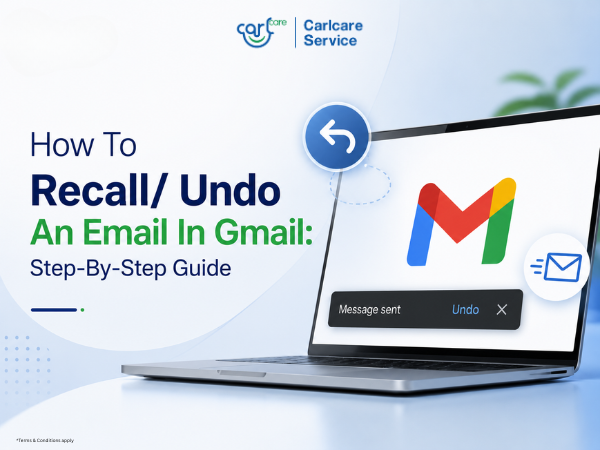
Sent an email to the wrong person? Forgot to attach a file? Noticed a typo right after clicking Send? Don’t worry. Gmail has an Undo Send feature that lets you cancel an email shortly after sending it.
However, Gmail does not recall an email after it has already been delivered. It only gives you a short cancellation window of up to 30 seconds, depending on your settings.
What is Undo Send in Gmail?
Undo Send is a Gmail feature that briefly delays your email after you click Send. During this short time, you can cancel the email and bring it back as a draft.
This is helpful when you accidentally:
- Send an email to the wrong person
- Forgot to add an attachment
- Notice a spelling mistake
- Send an incomplete message
- Want to change the subject line
How to Undo an Email in Gmail on Desktop
Follow these steps immediately after sending an email:
- Click Send after writing your email.
- Look at the bottom-left corner of the screen.
- You will see a message saying “Message sent” with an Undo option.
- Click Undo quickly.
- Gmail will reopen the email as a draft so you can edit or delete it.
How to Undo an Email in the Gmail App
If you are using Gmail on your smartphone:
- Open the Gmail app.
- Write your email and tap Send.
- Right after sending, look for the Undo option at the bottom of the screen.
- Tap Undo.
- Your email will return as a draft.
Google confirms that Gmail shows the Undo option right after sending on both laptop and Android.
How to Increase Undo Send Time in Gmail
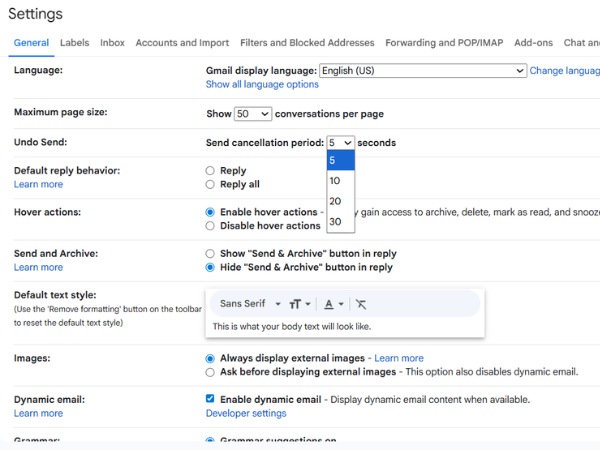
By default, Gmail may give only a few seconds to undo an email. You can increase this time up to 30 seconds from Gmail settings.
Steps to increase Undo Send time:
- Open Gmail on your computer.
- Click the Settings icon.
- Select See all settings.
- Find Undo Send.
- Choose the cancellation period: 5, 10, 20, or 30 seconds.
- Scroll down and click Save Changes.
For better safety, select 30 seconds so you get the maximum time to stop a mistakenly sent email.
Can You Recall an Email After 30 Seconds in Gmail?
No. Once the Undo Send time is over, Gmail cannot recall the email from the recipient’s inbox.
In that case, the best option is to send a quick follow-up email with the correction or apology.
Tips to Avoid Email Mistakes
Before sending an important email, always check:
- Recipient email address
- Subject line
- Attachments
- Names and spelling
- Important links
- Tone of the message
Quick Tip
Set your Gmail Undo Send cancellation period to 30 seconds. It gives you extra time to stop an email before it is delivered and can save you from common email mistakes.